Managing patient appointments is one of the most important operational responsibilities in a clinic. It is also one of the most time consuming. Front desk teams answer inquiries, check doctor availability, send reminders, and manage cancellations or rescheduling requests. These activities keep clinic operations running smoothly, yet many practices still rely on manual communication to coordinate them.
As patient volume grows, this approach becomes difficult to sustain. Staff spend valuable time sending reminders or responding to scheduling questions, while patients struggle to confirm or adjust appointments quickly. Messaging automation offers a practical way to improve the patient journey while reducing administrative workload. By integrating messaging directly into appointment workflows, clinics can guide patients from their initial inquiry through booking, reminders, and appointment completion. Many healthcare organizations are already exploring how messaging can support broader patient communication needs, from appointment reminders to care coordination.
Where the Patient Appointment Journey Breaks Down
Most clinics want the appointment experience to be simple and reliable. In practice, several operational gaps often appear in the process.
Common challenges include:
• Patients miss appointments because reminders are sent late or not at all
• Staff manually send reminder messages, which consumes time and introduces errors
• Communication tools are disconnected across scheduling, messaging, and patient systems
• Patients must call or email the clinic to confirm or reschedule visits
These gaps create friction for both staff and patients. From the patient’s perspective, scheduling can feel slow or inconvenient. From the clinic’s perspective, administrative work increases as appointment volume grows.
Messaging automation helps connect these steps into a coordinated workflow.
Designing a Seamless Appointment Workflow with Messaging
Messaging platforms allow clinics to automate key parts of the appointment journey. Instead of managing every interaction manually, the system handles routine communication automatically while staff focus on patient care.
A messaging driven appointment workflow typically follows five steps.
- Patient inquiry
A patient sends an inquiry through a website form, clinic hotline, or messaging channel. The system immediately acknowledges the request and provides scheduling options. - Automatic schedule sharing
Available time slots are retrieved from the clinic calendar and sent directly to the patient through messaging channels such as SMS, WhatsApp, or Viber. - Booking through messaging
The patient selects a preferred appointment time within the conversation. The appointment is automatically recorded in the clinic scheduling system, and the patient receives a confirmation message with appointment details. - Automated appointment reminders
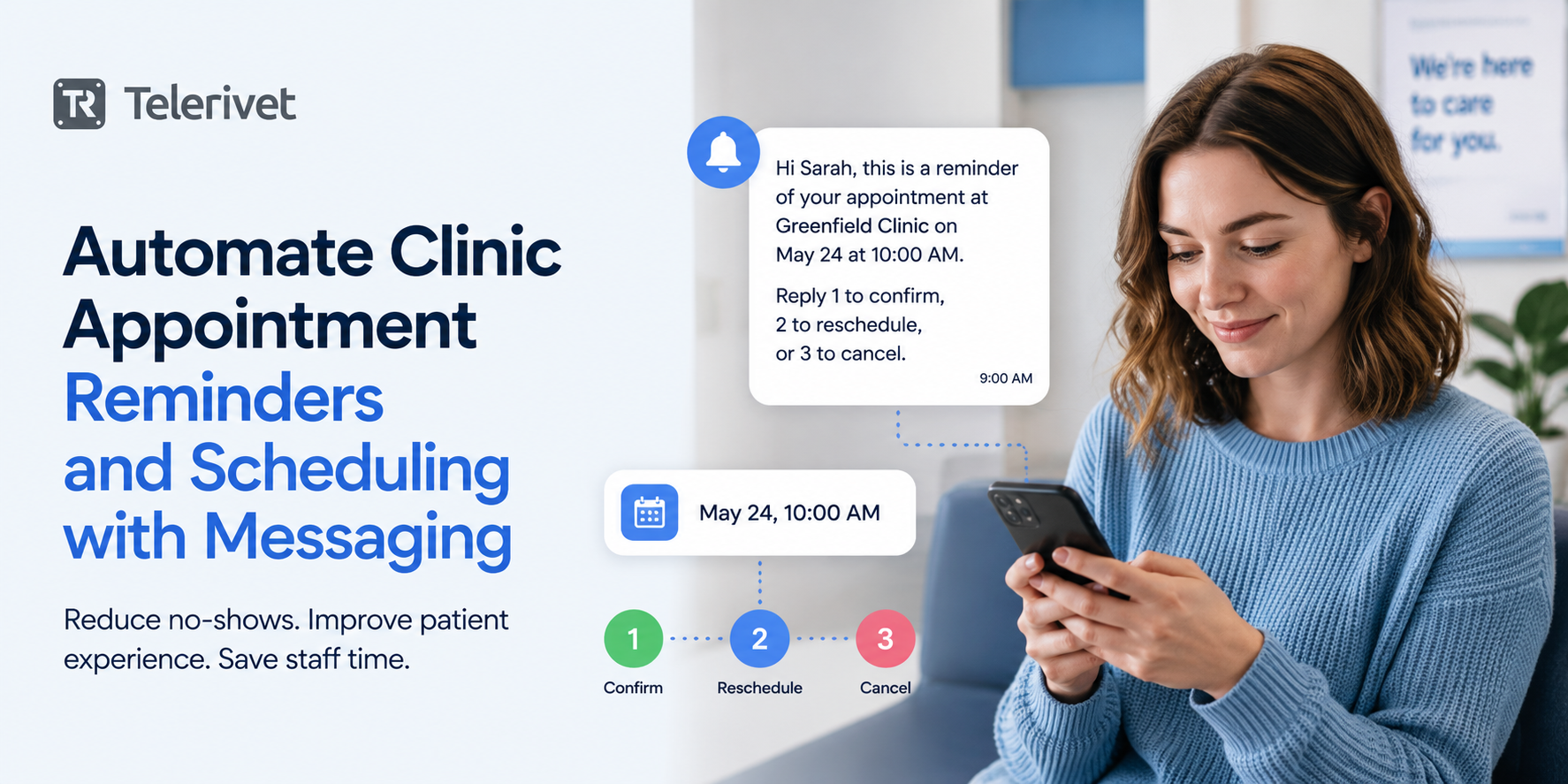
Reminder messages are sent automatically before the appointment. Patients can respond directly to the reminder with options such as:
• Confirm attendance
• Request rescheduling
• Cancel the appointment - Post appointment follow up
After the visit, clinics can send follow up communication such as care instructions, prescription reminders, or satisfaction surveys.
This workflow allows routine patient communication to happen automatically while staff remain available for more complex interactions. As more organizations realize that customers do not live on one communication channel, clinics are also adopting multi-channel messaging to reach patients more reliably.
Example: Automating Appointment Scheduling in a Clinic
Consider a clinic that manages 80 to 120 patient appointments each day. Without automation, staff may spend several hours answering scheduling inquiries and sending reminders.
With messaging automation, the workflow becomes much simpler.
- A patient sends a message asking about appointment availability.
- The system replies immediately with available time slots pulled from the clinic calendar/scheduling link.
- The patient selects a preferred appointment time within the conversation.
- The system confirms the booking and records it in the clinic scheduling system.
- Twenty four hours before the appointment, the patient receives an automated reminder with options to confirm or reschedule.
Instead of manually managing each interaction, staff only intervene when additional assistance is required. For clinics managing hundreds of appointments each week, this automation can significantly reduce administrative workload while improving schedule reliability.
Messaging Workflows Clinics Can Implement
Many healthcare providers begin using messaging for simple alerts. Over time, messaging becomes more valuable when integrated into operational workflows.
Common messaging workflows used by clinics include:
• Appointment reminders to reduce missed visits and maintain schedule reliability
• Rescheduling workflows that automatically offer new time slots when patients cannot attend
• Lab result notifications that guide patients on next steps or follow up consultations
• Medication reminders that help patients stay consistent with treatment plans
• Post visit communication that sends care instructions or feedback surveys
These workflows allow clinics to handle large volumes of patient communication without increasing administrative workload.
How Clinics Typically Implement Messaging Automation
Healthcare organizations often introduce messaging automation gradually. A typical implementation path includes three stages.
- Start with automated reminders
Clinics begin by sending appointment reminders through SMS or messaging apps such as WhatsApp or Viber. - Add scheduling workflows
Messaging workflows expand to include appointment confirmations, rescheduling requests, and scheduling inquiries. - Integrate with clinic systems
Messaging platforms connect with scheduling calendars and internal systems so appointment availability can be shared automatically.
Over time, clinics often expand messaging workflows to include lab result notifications, medication reminders, and follow up communication.
Moving Toward a More Connected Patient Communication System
As healthcare organizations grow, manual communication processes become increasingly difficult to maintain. Staff spend valuable time managing reminders, responding to scheduling inquiries, and coordinating appointment changes.
Messaging automation allows clinics to guide patients smoothly from the initial inquiry through scheduling, reminders, and appointment completion. By integrating messaging channels with scheduling systems and internal applications, clinics can reduce administrative workload while improving the reliability of patient communication.
Many clinics begin with a simple starting point:
• Automated appointment reminders
• Messaging based appointment confirmations
• Simple rescheduling workflows
From there, messaging can expand to support additional patient communication such as lab result notifications, medication reminders, and follow up communication. Behind these workflows is messaging infrastructure that connects patient communication with internal systems such as scheduling calendars and patient databases. This idea is part of a broader shift toward communication orchestration infrastructure, where messaging becomes a core operational layer rather than just a notification tool.
Platforms like Telerivet allow healthcare organizations to build messaging workflows across channels such as SMS, WhatsApp, and Viber while integrating directly with internal systems and scheduling tools. If your clinic is still managing appointment reminders and scheduling manually, exploring messaging automation may be a simple way to improve both operational efficiency and patient experience.

Note: Telerivet supports many healthcare use cases that do not involve storing or transmitting protected health information (PHI) in the United States. For workflows that require HIPAA compliance, please contact us to discuss requirements and confirm whether your intended use case is supported.