Be ready before the emergency
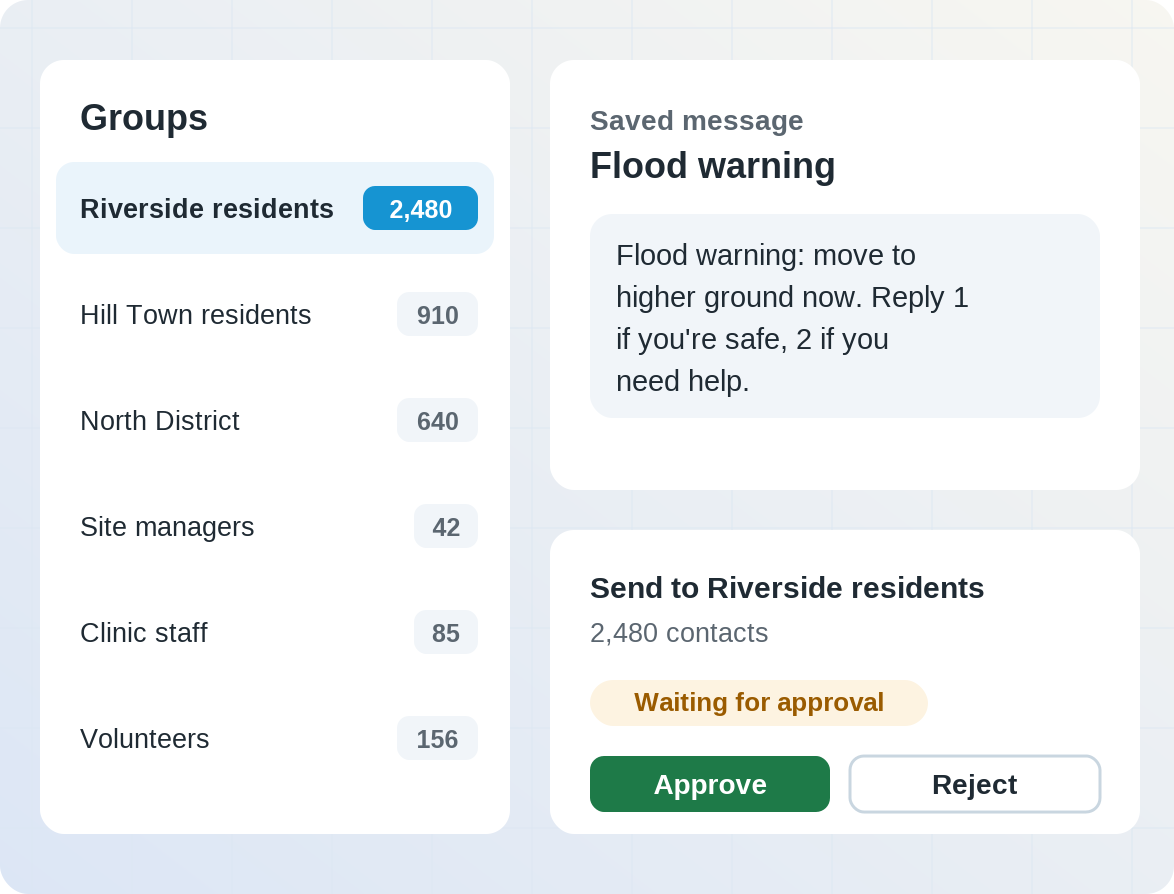
Keep contact groups up to date by team, site or district, and save message templates for each type of alert in advance, so you only need to pick a template and a group when it's time to send. Your own systems can trigger alerts automatically with the REST API, and approval rules can require a second person to review large sends.
Reach everyone, even when a channel fails
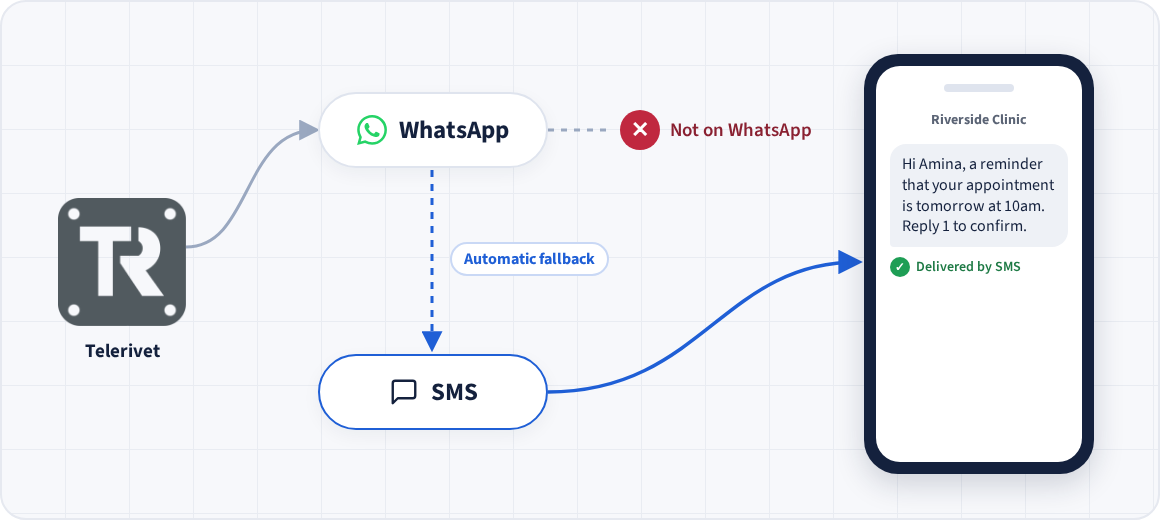
Send one alert to every group you need, right away. If a message can't be delivered via WhatsApp, Telerivet can resend it by SMS automatically, and you can spread large sends across several routes, including multiple Android phones with the Telerivet Gateway app.
Call people with a voice alert
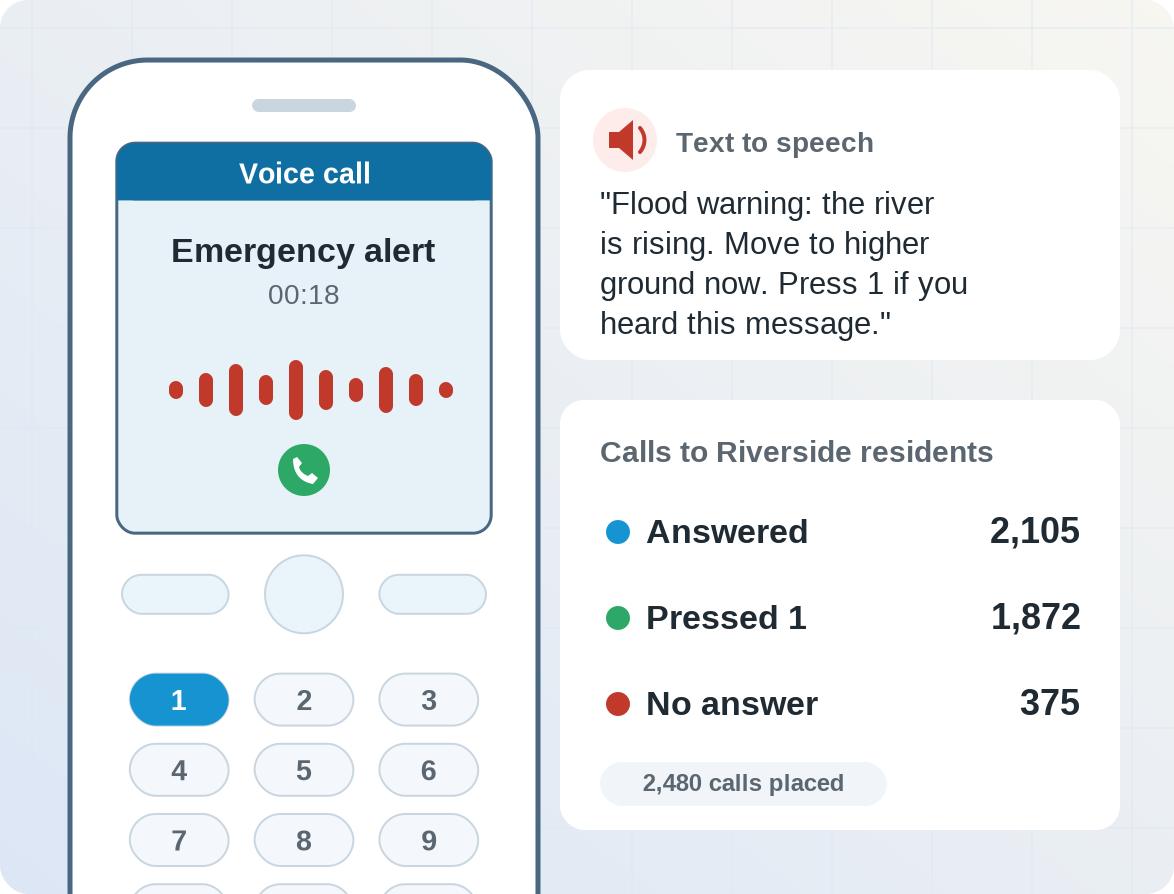
Voice broadcasts call everyone on your list and play a recorded message or text-to-speech, so the alert reaches people who can't read or don't check their texts. People can press a key to confirm they heard it.
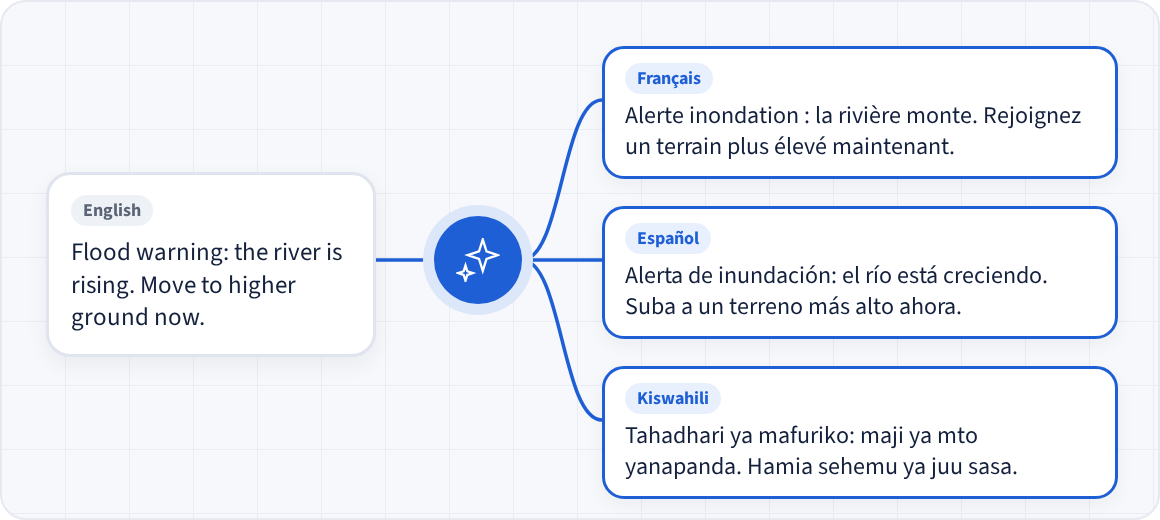
Send alerts in every language
Send each person the alert in their own language. Message variants let you send the right version for each contact, and AI Operator can automatically translate your alert into other languages before you send it.
Know who got the message, and who's safe
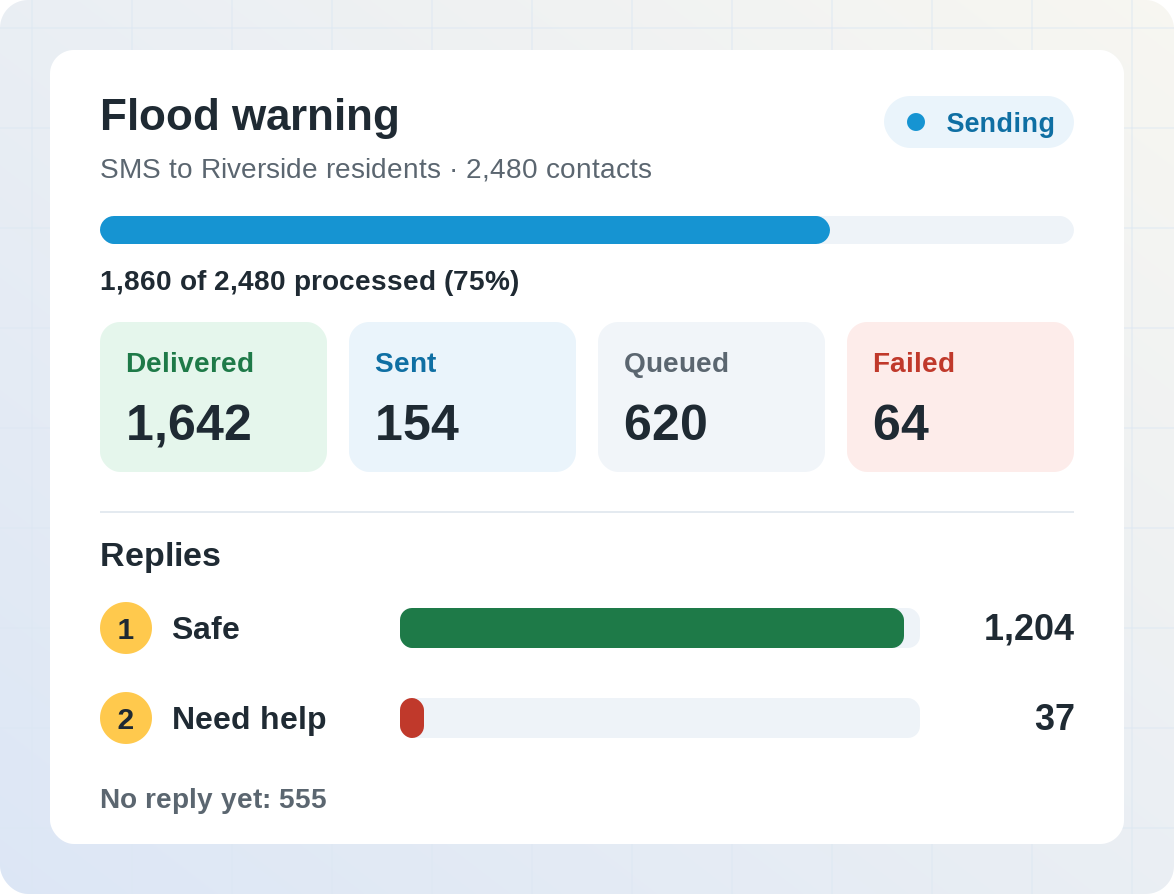
Watch each alert's progress in real time as it goes out: how many messages have been delivered, how many are still waiting to send, and which ones failed.
Ask people to reply (for example "1 if safe, 2 if you need help"), see who answered, and follow up with those who didn't.
Get started
Frequently asked questions
How fast can I reach everyone?
Messages start sending as soon as you send the alert. How fast a large list finishes depends on the routes you use; Telerivet can spread a broadcast across several routes, and we can help plan capacity for large lists.
Can I send alerts as voice calls?
Yes. Voice broadcasts can play a recording or text-to-speech message, and can ask people to press a key to confirm they heard it.
What happens if a message can't be delivered?
You can set up automatic fallback, for example resending a failed WhatsApp message by SMS, and you can see which messages failed and resend them.
Can people reply to say they're safe?
Yes, unless you use a route that only supports one-way messaging (such as an alphanumeric SMS sender ID). Replies are matched to each person, so you can see who answered, what they said, and who still needs a follow-up.
Can our systems send alerts automatically?
Which countries can I send alerts to?
Telerivet can send alerts to nearly any country. See SMS by country for local SMS connectivity options and prices.
Can I send an alert to every phone in an area?
No. Telerivet sends alerts only to phone numbers you've added to your contacts, not to every phone in an area. To build your list, people can sign up by texting a keyword or scanning a QR code; see List growth & opt-in.
Do people need a smartphone or internet access?
No. SMS and voice calls reach any mobile phone, including basic phones, without mobile data. WhatsApp alerts can fall back to SMS for people who aren't on WhatsApp.
Can I stop an alert from being sent by mistake?
Yes. You can require a second person to approve large sends before they go out, and choose what each team member is allowed to do. If an alert is already sending, you can cancel it to stop the remaining messages.
How much does it cost?
You pay for your Telerivet plan plus the cost of each message or call, which depends on the country and channel. If you use the Telerivet Gateway app on an Android phone, SMS are sent from your own SIM card at local rates. See Pricing.
More for emergency and mass notifications
Organizations use Telerivet for crisis response, public health and field operations.