Every payment receipt, in one place
Install the Telerivet Gateway app on an Android phone with the SIM card for your mobile money account. Each SMS receipt is forwarded to Telerivet as it arrives, so your whole team can see and search payments from a browser, instead of checking one phone by hand.
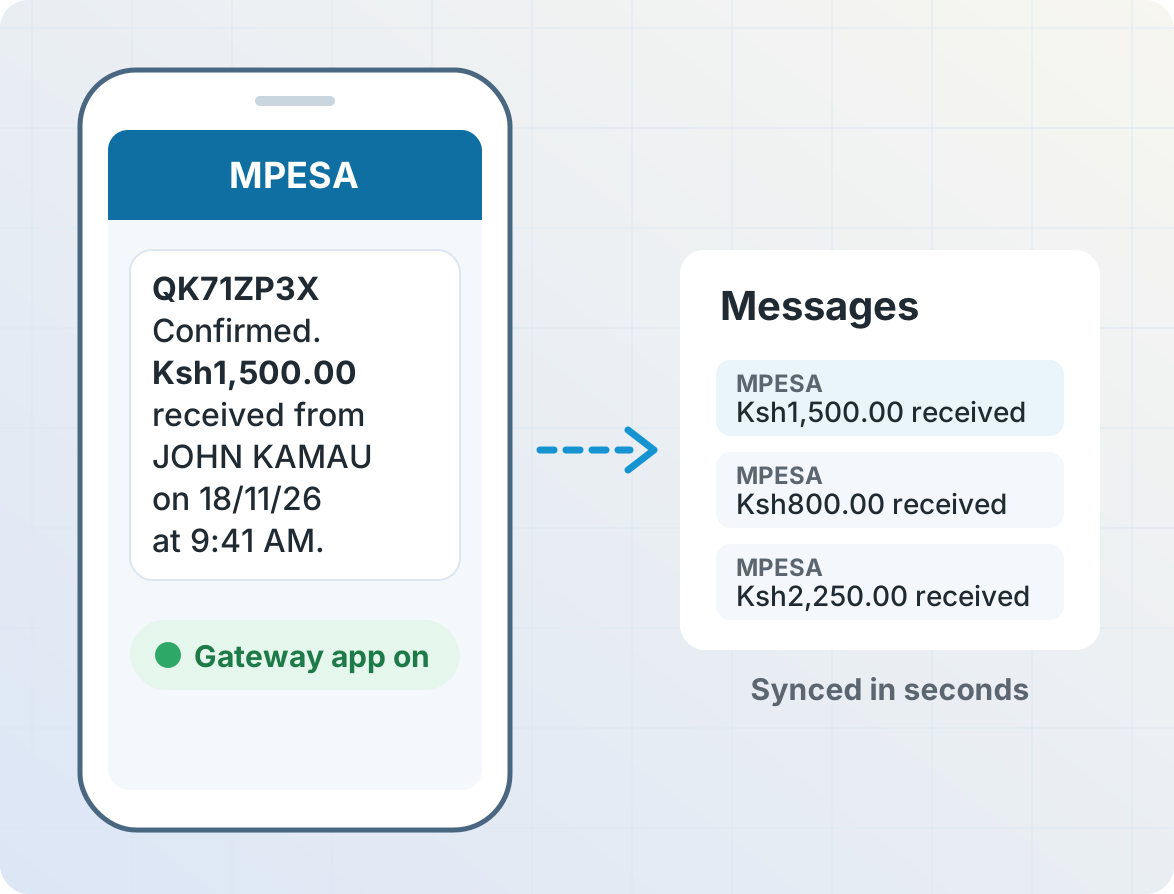

Turn receipts into a payments table with AI
After receiving an example receipt, ask AI Operator to build a service that saves the transaction ID, amount, name and phone number from each new receipt to a data table. AI Operator can write code to extract data from receipts from M-Pesa, Airtel Money, MTN MoMo or any service that sends SMS receipts. Filter payments by date, amount or name, and export them to a spreadsheet.
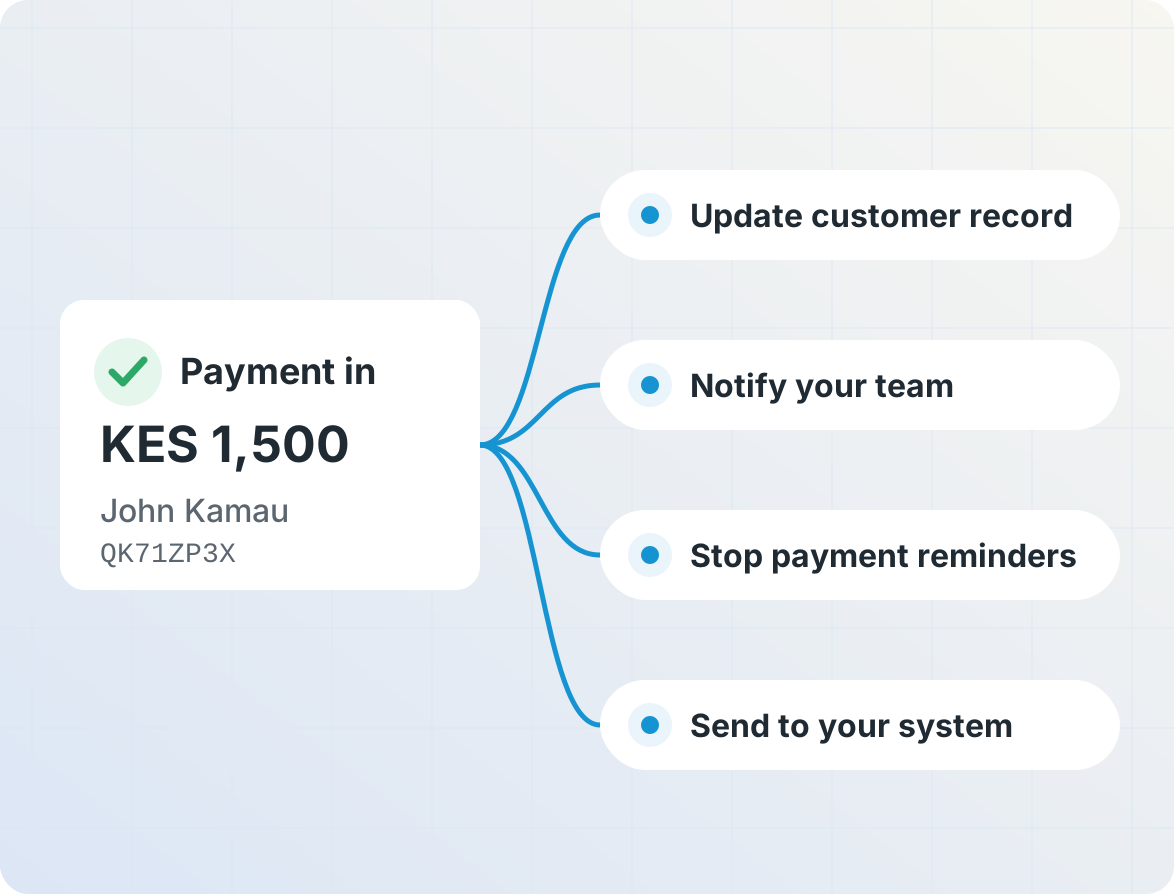
Act on each payment
Tell AI Operator what should happen when a payment arrives, and it can build a service to do that: update the customer's record, notify your team, or stop payment reminders. Webhooks can send each payment to your own system in real time.
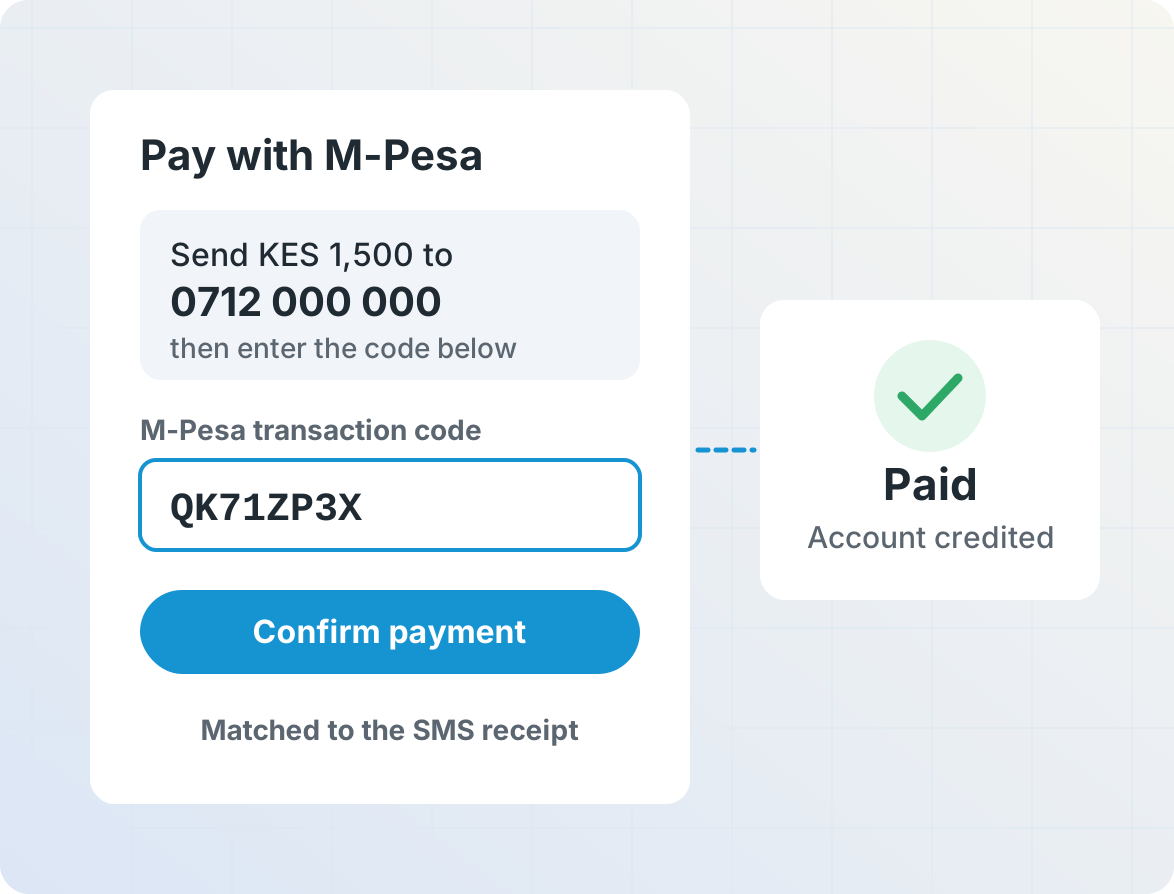
Accept mobile money in your app, without a payments API
Many mobile money services have no API, or offer one only to large businesses. Forward receipts to your server with the Webhook API, ask customers for the transaction code from their own receipt, and credit their account when the codes match.
Get started
Frequently asked questions
Which mobile money services are supported?
Any mobile money service that sends you an SMS receipt for each payment, such as M-Pesa, Airtel Money, MTN MoMo, Orange Money or EcoCash. Paste an example receipt into AI Operator, and it builds a service that reads that format.
Do I need an M-Pesa API or developer account?
No. Telerivet reads the SMS receipts your phone already receives, so there's no API application or approval. You only need an Android phone with the SIM card for your mobile money account.
Does Telerivet hold or move my money?
No. Payments go to your mobile money account as usual, and stay there until you withdraw them. Telerivet only records the receipts. To send value to people, see airtime transfers.
Can someone fake a payment receipt?
You can configure Telerivet to handle receipts only from your mobile money service's official sender ID, such as MPESA. For extra safety, check the balance in each receipt, and don't let the same transaction ID be used twice.
Can I send payments to my own system?
Yes. The Webhook API sends each incoming receipt to a URL on your server in real time, and the REST API lets your system read the payments table.
How much does it cost?
You pay for your Telerivet plan, and the Gateway app uses your own phone and SIM card. Each receipt received counts towards your plan's included messaging capacity. See Pricing.
More for payments and financial services
Lenders, savings groups, utilities and shops use Telerivet to stay in touch with customers.