Reminders scheduled from each date
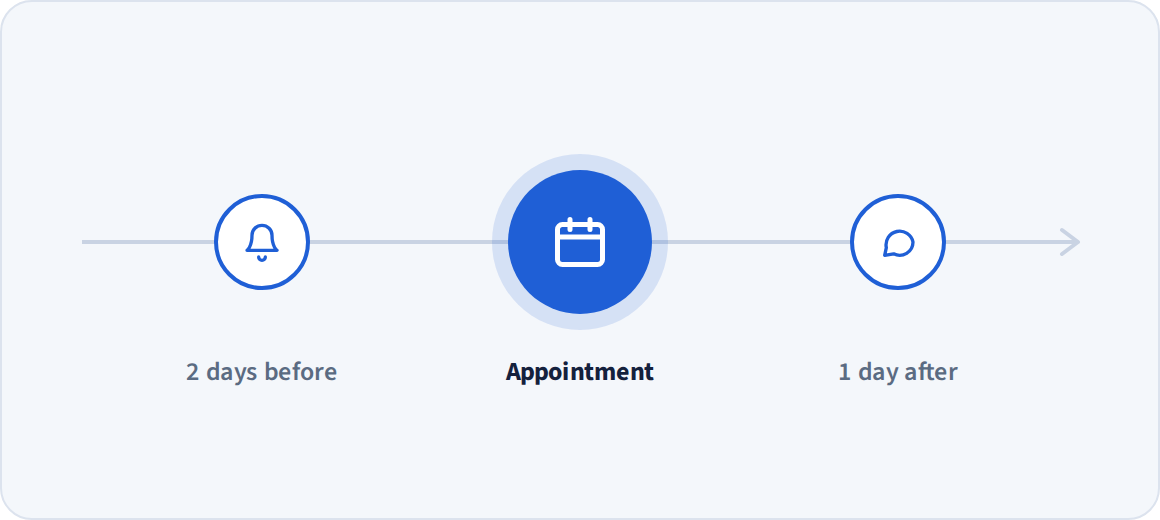
Store each person's appointment or due date as a contact field, and Telerivet can automatically send reminders at the right time for each person - before, on, or after the date. Import dates from a spreadsheet, or sync them from your booking or billing system. If someone reschedules, you can update their date and their remaining reminders move with it.
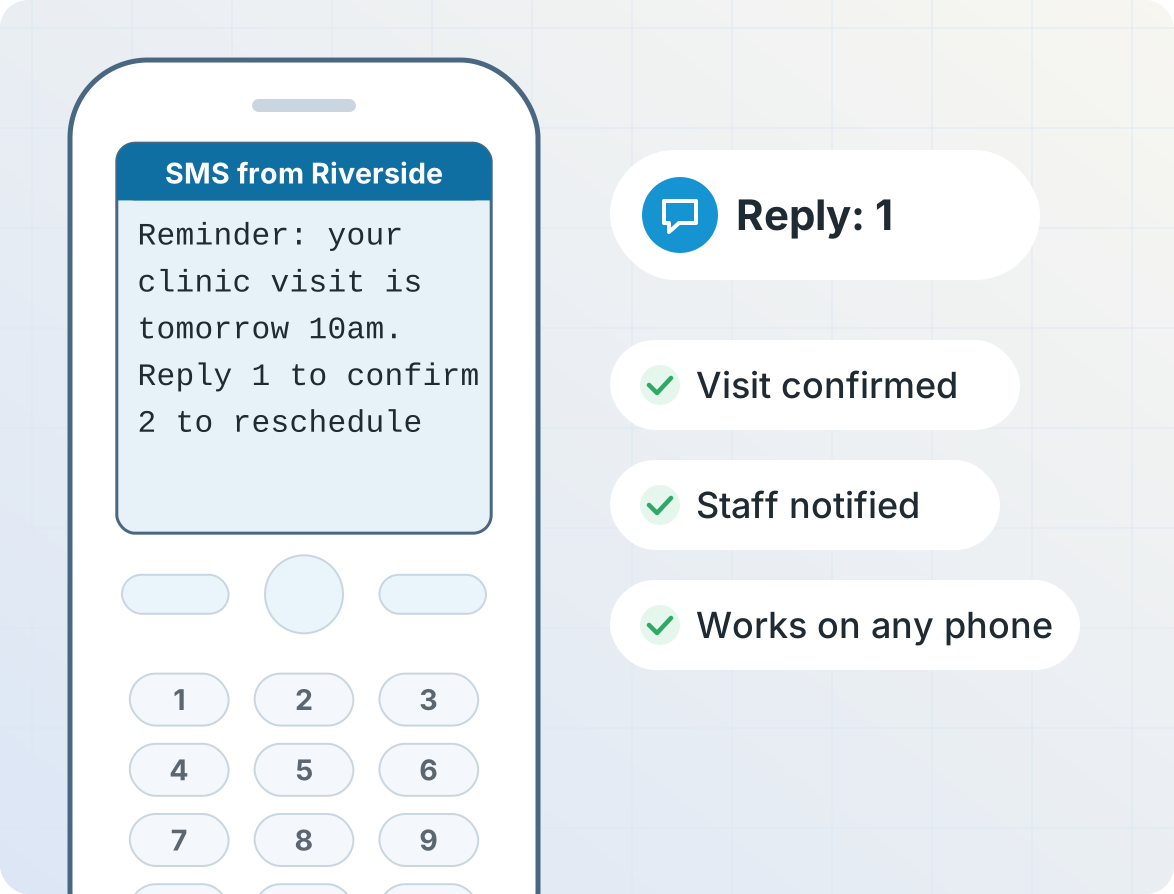
Confirm or reschedule appointments by replying
Your appointment reminders can tell contacts to reply to confirm or reschedule. Tell AI Operator how to handle replies and it can build automations that can update the contact's record, alert your staff, and stop further reminders.
Payment reminders that get paid
Remind people before and after each due date, with their name, amount, and optionally a payment link in the message, filled in from each person's contact record. Your billing system can use Telerivet's API to stop reminders as soon as a payment is recorded.

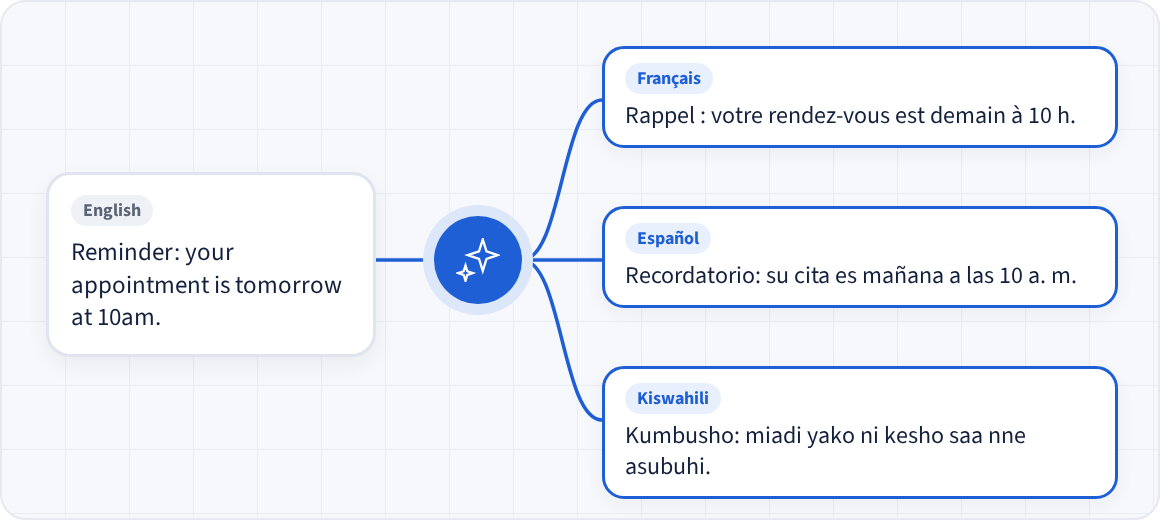
Send reminders by SMS, WhatsApp or voice, in the contact's language
Send reminders by SMS to any phone, by WhatsApp with approved message templates, or as voice calls for people who don't read texts.
If your contacts use different languages, you can configure message variants to send each person the reminder in their own language.
Recurring reminders for ongoing programs
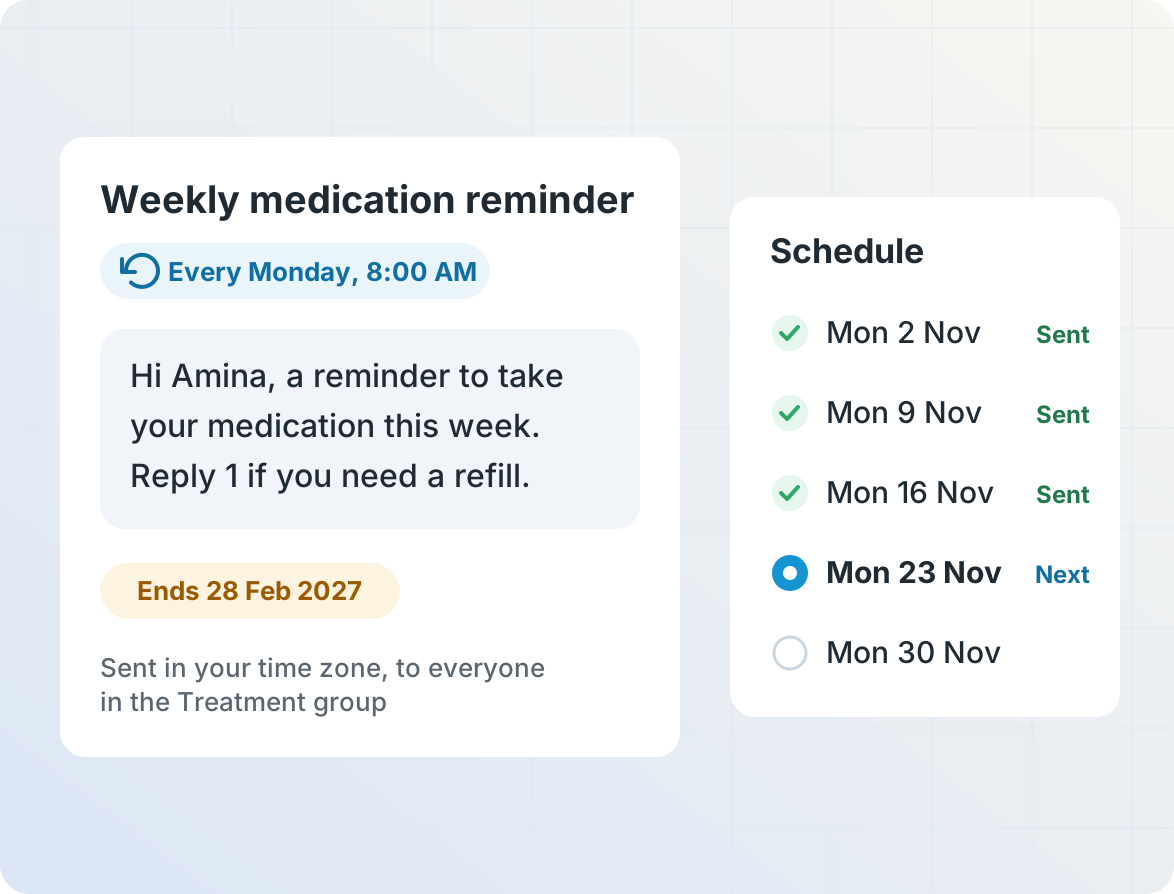
Some reminders don't depend on a single date. Schedule a message to repeat daily, weekly or monthly, like a weekly medication reminder, a monthly payment reminder, or a class every Tuesday, in the time zone you choose. Set an end date so it stops when your program does, and personalize each message with the contact's name and details.
Get started
Frequently asked questions
How are reminders scheduled?
Each contact in Telerivet can have one or more date fields (e.g. appointment date or due date), which may be either a calendar date or a date/time. Each contact that needs to receive a particular reminder can be added to a group.
In Telerivet, a "relative campaign" can send one or more reminder messages to a group of contacts, where each message is sent a number of days, weeks, months, or years before or after each contact's date field at a particular time of day.
For date/time fields, the reminder can also be scheduled a certain number of minutes before or after the time.
Can reminders repeat?
Yes. A scheduled message can repeat daily, weekly, monthly or on another schedule, in the time zone you choose, with an end date so it stops when your program does. This works well for medication, training sessions, regular program check-ins, or monthly payment reminders.
Can people confirm, cancel or reschedule by replying?
Yes. Tell AI Operator how you want to handle replies and it can build an automated service for you. Replies can update the contact's record, notify your staff, or add the person to a group that the campaign skips, so later reminders stop.
What if an appointment or due date changes?
You can update the person's date in the Telerivet web app, by importing a spreadsheet, or through the REST API, and their remaining reminders are rescheduled automatically.
Can I see who received and replied to each reminder?
Yes. The campaign page shows delivery, replies and response rate for each step, so you can see which reminders work best.
Can I send reminders on WhatsApp?
Yes. Reminders on WhatsApp use message templates approved by WhatsApp, and can include quick-reply buttons. People without WhatsApp can get the reminder by SMS instead.
Can I send reminders as voice calls?
Yes. Any step in a campaign can be a voice call that plays a recorded message or text-to-speech, for people who don't read texts.
Can reminders include a payment link?
Yes. Links can be shortened and tracked, so you can see who clicked. When a payment is recorded, your billing system can use Telerivet's REST API to update their contact record so that their remaining reminders stop.
Can I connect my booking or billing system?
Yes. You can keep Telerivet in sync with other systems using Telerivet's REST API, Cloud Script API, and Webhook API.
How much does it cost?
You pay for your Telerivet plan plus message or call costs, which depend on the country and channel. See Pricing.
More for reminders and notifications
Clinics, health programs, lenders and schools use Telerivet to keep people on schedule.