Join with a keyword
Put a keyword on a flyer, a shelf or a radio ad. When someone texts it, an opt-in service adds them to your subscribers group, records the date they joined, and sends a welcome reply. Give each shop, campaign or channel its own keyword to see where sign-ups come from.
To simplify the opt-in process, you can provide a QR code that a contact can scan to pre-fill an SMS or WhatsApp message to your number with the keyword. The contact just needs to click Send.

Ask, and keep what they tell you
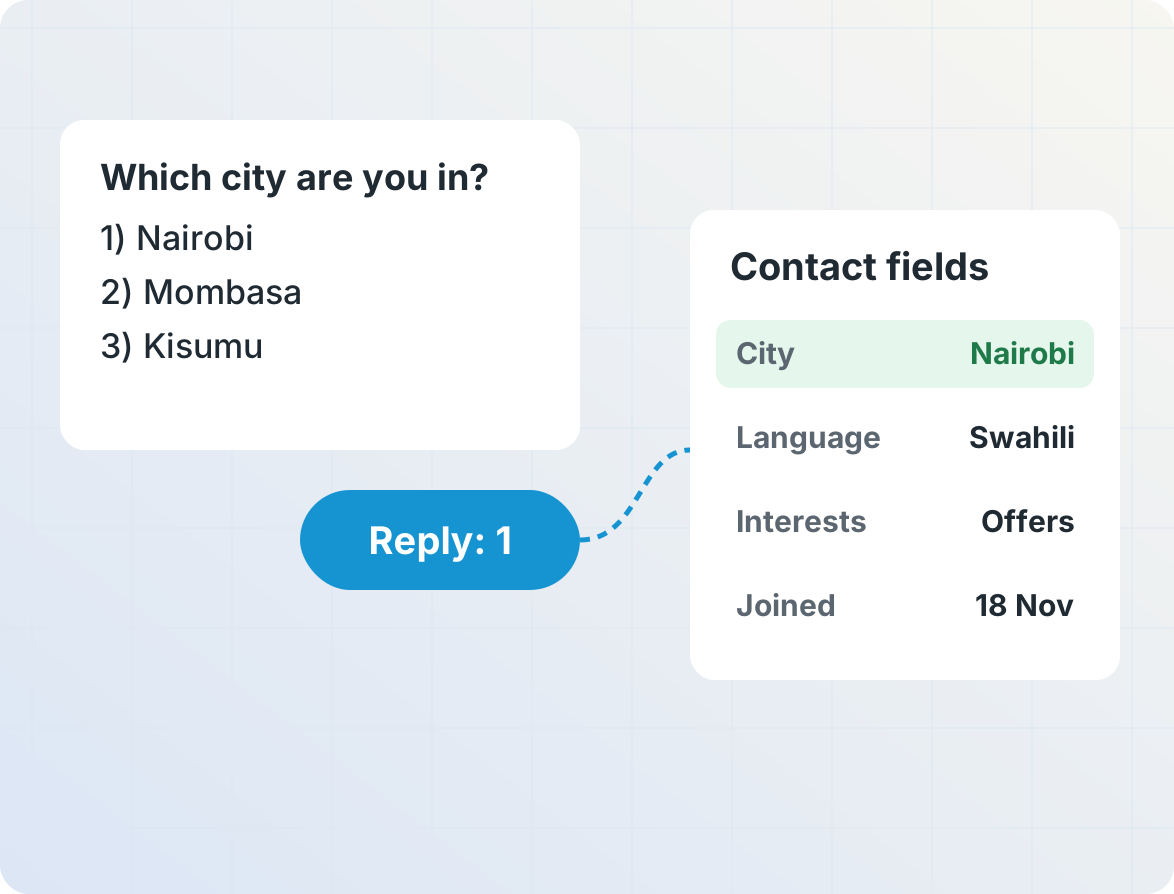
Follow each sign-up with a quick question or two, like their city, language or interests. Each answer is saved to a field on the contact, so you can target and personalize every message after. It's zero-party data that people choose to share, collected without forms or apps.
A clear record of who said yes
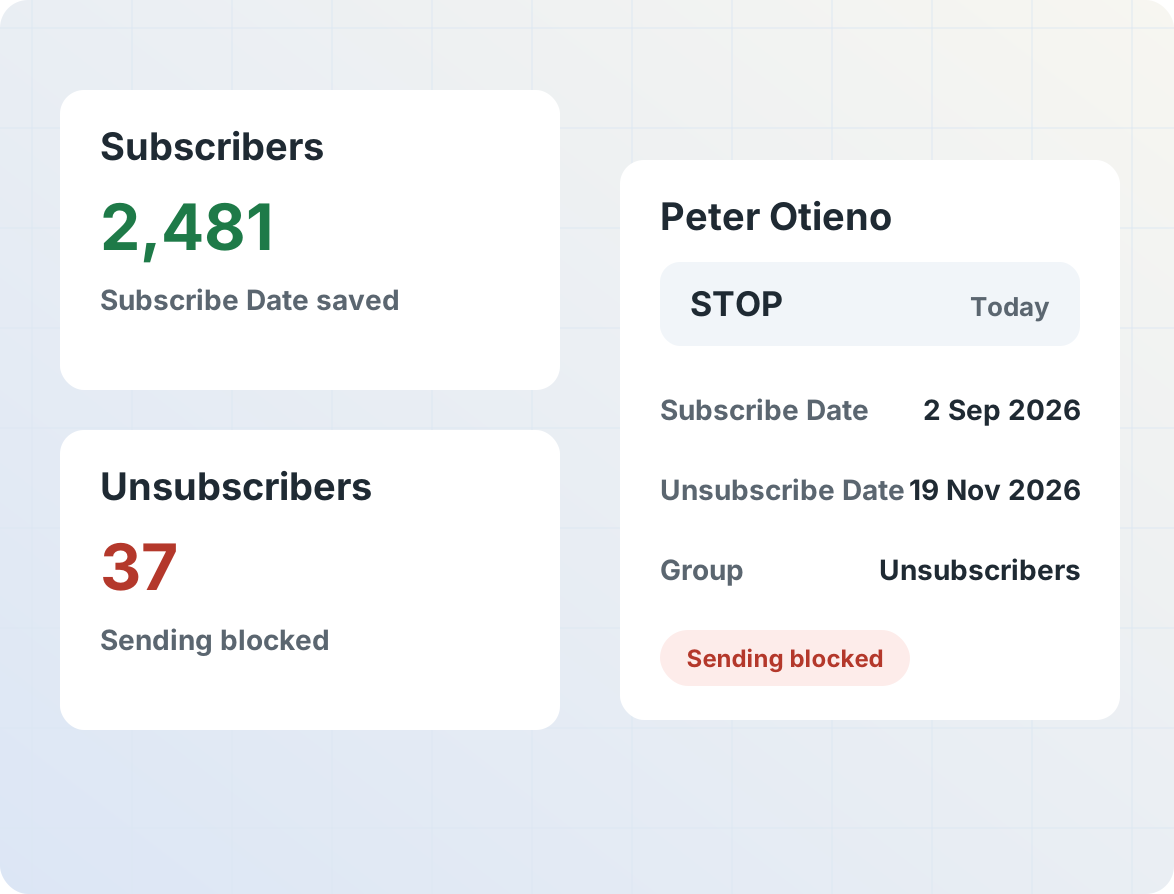
Each subscriber's join date is saved automatically, and a welcome series can be scheduled from it. People who text STOP move to an unsubscribers group with the date they left, and sending to them can be blocked, so future messages skip them automatically.
Get started
Frequently asked questions
What are the ways people can join my list?
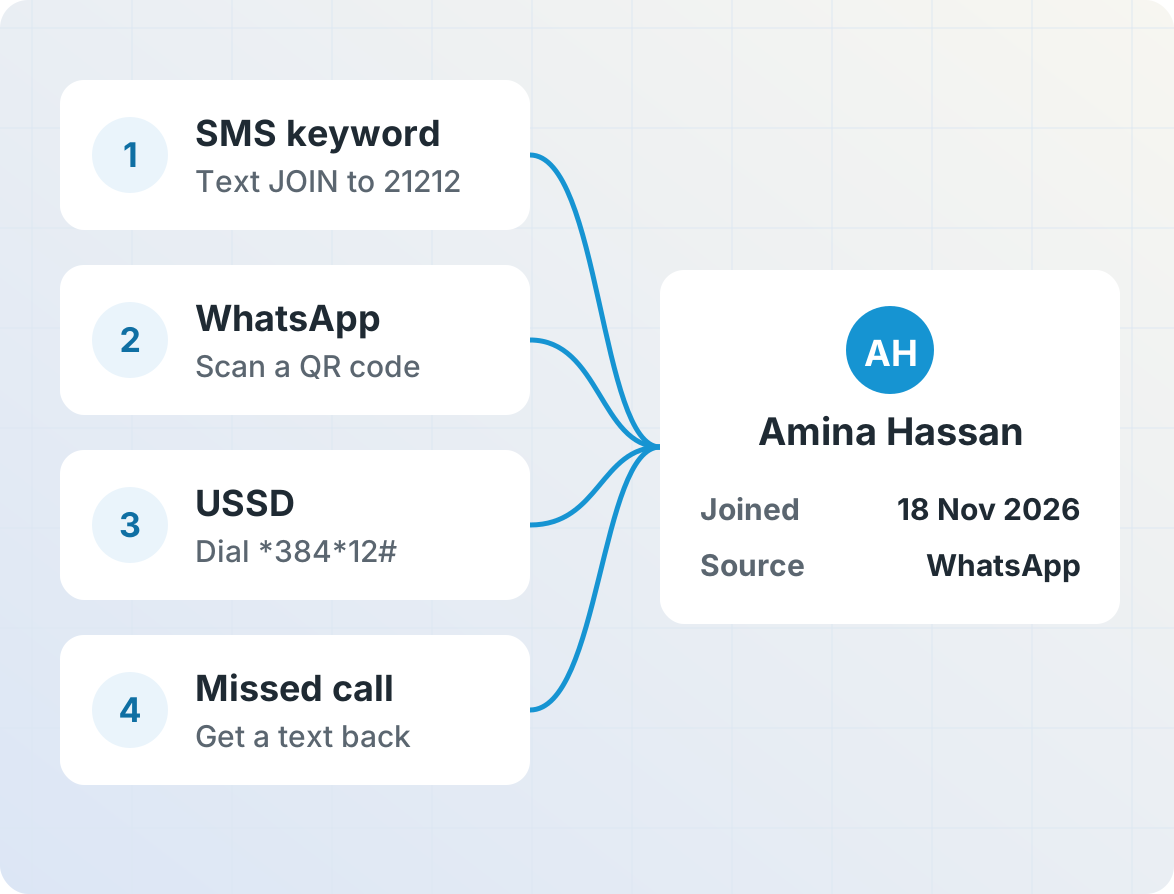
By texting a keyword, starting a WhatsApp chat with you, dialing a USSD code, or placing a missed call that gets an automatic text back. Your website or app can add sign-ups through the REST API, and lists of people who already opted in can be imported from a spreadsheet.
How do QR code sign-ups work?
The QR code contains a link that opens a chat with your number, with the sign-up keyword already filled in. For WhatsApp, use a click-to-chat link such as https://wa.me/254700000000?text=JOIN. For SMS, a sms: link such as sms:+254700000000?&body=JOIN can open the phone's messaging app with a message like JOIN addressed to your number. When the person taps Send, your opt-in service adds them to your list and replies, just as if they had typed the keyword.
Create the QR code with our free WhatsApp QR code generator or SMS QR code generator, and print it on posters, packaging or receipts. Use a different keyword in each QR code, like JOIN SHOP12 or JOIN POSTER, to see which placement brings in the most sign-ups. On WhatsApp, the person's first message also lets you reply freely for the next 24 hours, without a template.
What is zero-party data?
Zero-party data is information people choose to give you directly, such as their city, language or interests. In Telerivet, answers to a sign-up question or poll can be saved to the contact's fields, so later messages can be targeted and personalized with them.
How are opt-outs handled?
An Opt-In / Opt-Out Keywords service removes anyone who texts STOP, or another keyword you choose, from the subscribers group, adds them to an unsubscribers group, and records the date. You can also block all sending to them, and group sends then skip them automatically.
Can I run a text-to-win contest or code-on-pack promotion?
Yes. People enter with a keyword or with a unique code printed on a pack or receipt, and winners can receive airtime or data. Keep contest entry separate from marketing consent: only add entrants who agree to future messages to your list. See SMS contests.
Will people end up on my list twice?
No. Telerivet keeps one contact per phone number. Someone who texts a keyword and later signs up on your website updates the same contact, and imports match on phone number.
Do keyword sign-ups work where business SMS routes can't receive replies?
Yes. An Android phone with a local SIM receives SMS on that country's networks, so people can text your keyword even in markets where standard business routes are send-only.
More for marketing and audience engagement
Brands, retailers and broadcasters use Telerivet to build and engage their audiences.