Your AccountSign In Get Started
Product
Cloud Platform Enterprise-grade messaging command center Programmable Communication Build automated mobile interactions your way AI-Connected Communications Platform Connect your own AI tools, or use built-in AI Channels and Integrations Any channel, anywhere Text Messaging Voice & IVR Airtime Transfer USSD WhatsApp Business Messaging Viber Business Messages Android SMS Gateway
SolutionsPricingAbout Guide
About Us
Company
Blog
Contact Us
Messaging · Voice · WhatsApp

WhatsApp Business messaging in Monaco

Reach your contacts in Monaco on WhatsApp with templates, rich media, interactive buttons and real two-way conversations, with automatic fallback to SMS.

Get started freeTalk to us

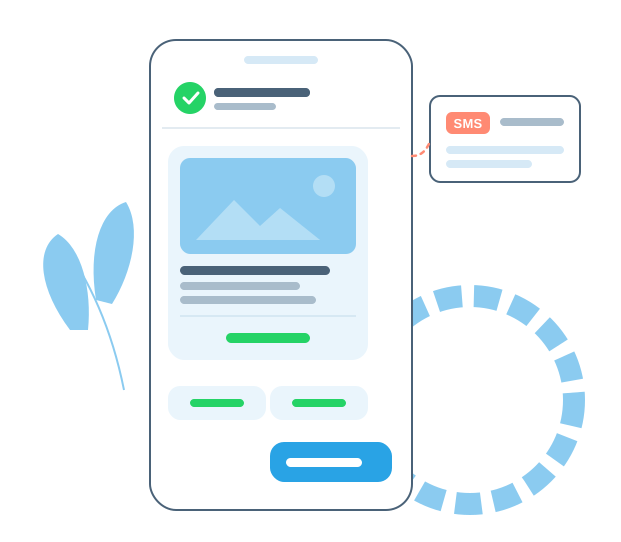
WhatsApp message with an image and buttons, and SMS fallback

Meta's WhatsApp prices for Monaco

Meta charges per delivered message, based on the message category and the recipient's country. These are Meta's current rates for messages delivered to WhatsApp users with phone numbers from Monaco.

Message categoryPrice per message
Marketing
Promotions, announcements, invitations and re-engagement messages
$0.0604
Utility
Reminders, alerts, confirmations and status updates. Free when sent within 24 hours after the contact messages you.
$0.0077
Authentication
One-time passcodes for login and verification
$0.0077
Authentication (international)
Passcodes sent to Monaco by businesses based outside Monaco
Service
Free-form replies within 24 hours after the contact messages you. The first 1,000 each month are free for each WhatsApp number.
$0.0077

Prices in US dollars. Utility and authentication prices decrease at higher monthly volumes. Meta can change its rates at the start of each quarter; see Meta's WhatsApp pricing for the latest rates and volume tiers.

You can pay Meta directly with a credit or debit card, or have Meta's charges billed through your Telerivet account for an additional per-message fee – useful if your organization can't pay Meta by card. Telerivet plans cover the platform itself.

Send templates and rich media

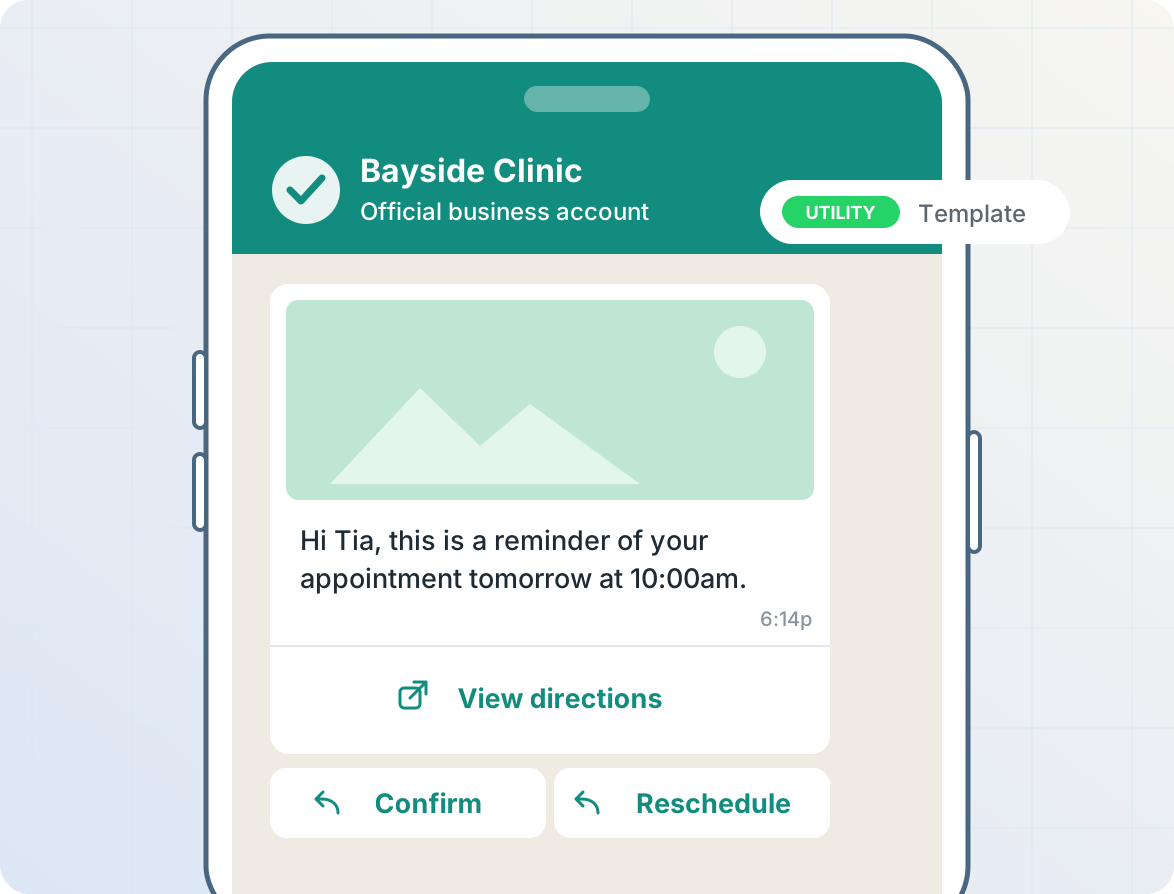
Send approved template messages for reminders, notifications and campaigns, with images, videos, documents, link buttons, and quick-reply buttons. Templates you create in WhatsApp Manager sync to Telerivet automatically, and you can personalize each message with your contacts' details and send to thousands of contacts in at once.

WhatsApp template message with an image, a link button and quick-reply buttons

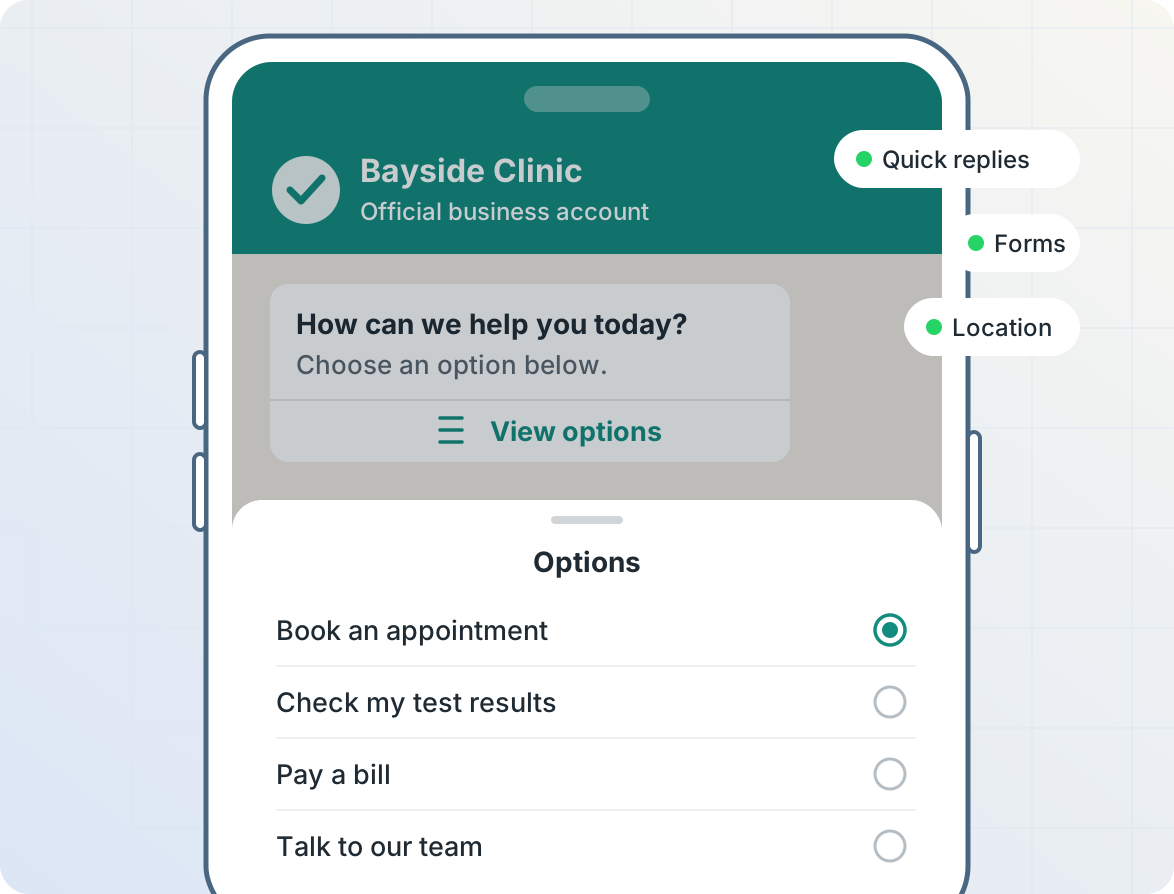
WhatsApp interactive list message

Let customers reply with a tap

Send quick-reply buttons, interactive lists with up to 10 options, and WhatsApp Flows forms that collect several answers at once, including choices and file uploads. Ask customers to share their location with a single tap. Every response arrives in Telerivet, ready for your automated services to handle.

Keep using the WhatsApp Business app

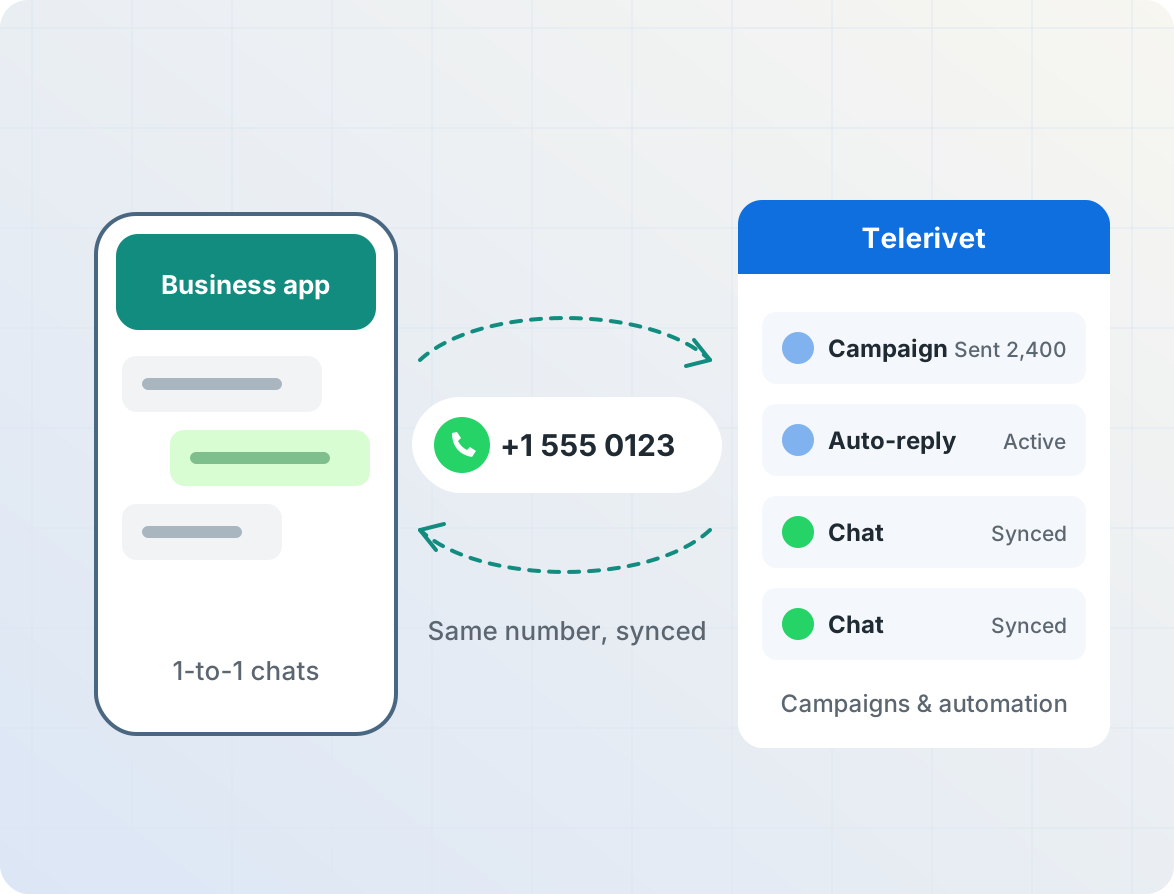
If you already use the WhatsApp Business app, you can connect the number you already use. Keep chatting one-on-one in the app while you send campaigns and automated messages from Telerivet with the same number. Chats from the app sync into Telerivet automatically, so your team can see each contact's full history across WhatsApp, SMS, and your other channels.

The same WhatsApp number used in the WhatsApp Business app and Telerivet

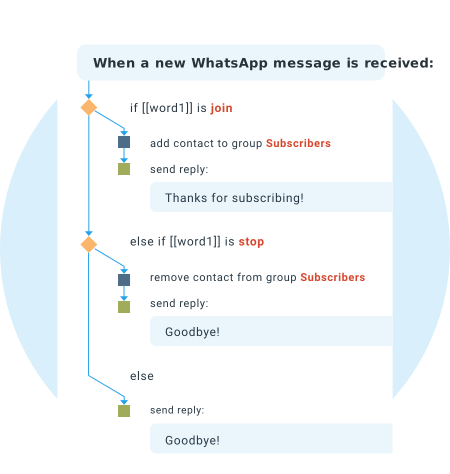
Rules Engine automation for incoming WhatsApp messages

Automate replies and workflows

Respond to WhatsApp messages automatically, around the clock. Build keyword auto-replies, menus and chatbots with the drag-and-drop Rules Engine, process form and list responses, write advanced logic in JavaScript with the Cloud Script API, or just describe what you need and let AI Operator build it for you.

Learn more about automation »

Automatic fallback to SMS

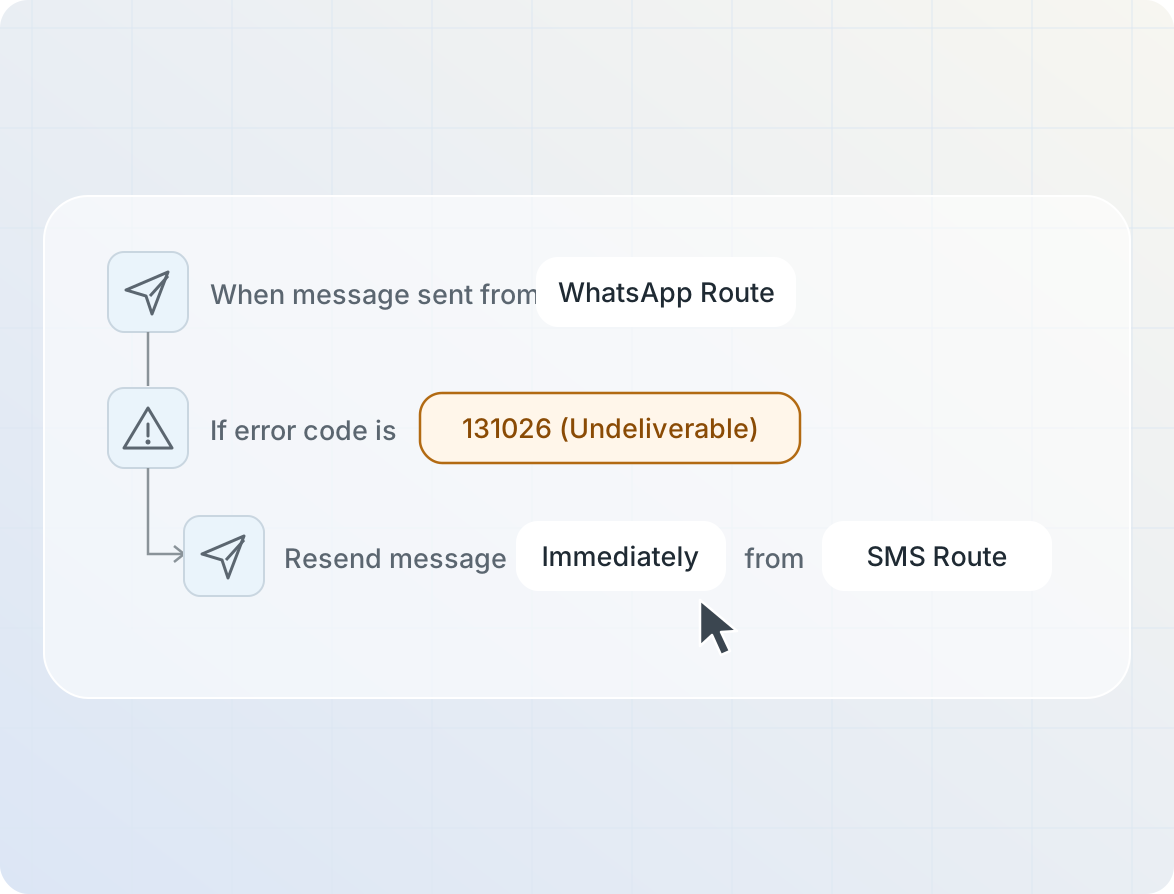
Not every contact has WhatsApp. If a WhatsApp message can't be delivered, Telerivet can automatically resend it by SMS or another channel, either for every failure or only for specific WhatsApp error codes. Run WhatsApp alongside SMS in Monaco, Viber and voice from one dashboard, and track the delivery status of every message.

Automation rule that resends undelivered WhatsApp messages by SMS

Use cases

WhatsApp reminder message
Reminders & Alerts

Send appointment reminders, delivery updates and alerts as approved templates, with quick-reply buttons to confirm or reschedule.
WhatsApp order confirmation
Order & Account Updates

Send order confirmations, payment receipts and account notices, with SMS fallback for contacts who aren't on WhatsApp.
WhatsApp survey conversation
Surveys & Forms

Collect feedback and registrations with buttons, lists and WhatsApp Flows forms, then review and export responses in Telerivet.
WhatsApp promotional message
Promotions & Campaigns

Share offers with images and a link button, then answer customers' questions in the same chat.

Get started in a few minutes

  1. Create a free Telerivet account.
  2. Click Login with Facebook to create or select your Meta business portfolio and WhatsApp Business Account, and verify your phone number.
  3. Create your message templates, then send messages to your contacts in or set up automated replies.

You don't need a separate WhatsApp provider: Telerivet is an official Meta Business Partner and connects directly to Meta's WhatsApp Cloud API. New WhatsApp numbers can start conversations with 250 contacts per day; the limit increases automatically after Meta business verification and as you keep a good quality rating.

Frequently asked questions

How much does it cost to send WhatsApp messages to Monaco?

Meta charges per delivered template message to WhatsApp users with phone numbers from Monaco: $0.0604 for marketing, $0.0077 for utility and $0.0077 for authentication messages. Service messages (replies within 24 hours after a customer messages you) are free for the first 1,000 each month for each phone number, then $0.0077 each. You can pay Meta directly by card, or have Meta's charges billed to your Telerivet account for an additional per-message fee. Telerivet's platform is billed separately according to your plan.

What do I need to start sending WhatsApp messages?

You need a Facebook login and a phone number that can receive a verification code by SMS or phone call. When you add a WhatsApp route in Telerivet, a guided setup helps you create or select a Meta business portfolio and WhatsApp Business Account and verify your number. It only takes a few minutes, and you don't need a separate WhatsApp provider.

Can I keep using the WhatsApp Business app with the same number?

Yes. During setup, choose to connect your WhatsApp Business app. You can keep messaging individual contacts in the app, and messages sent through the app remain free, while you send campaigns and automated messages from Telerivet with the same number. Chats from the app sync into Telerivet automatically from the time you connect.

What is the 24-hour window, and when do I need a template?

When a customer messages you, you can reply with any content for the next 24 hours. To start a conversation, or to message someone more than 24 hours after their last message, you need a template approved by Meta. You create templates in WhatsApp Manager. Approval usually takes minutes to a few hours, and approved templates sync to Telerivet automatically.

What kinds of messages can I send?

You can send text, images, videos, audio and documents, link buttons with optional click tracking, up to 3 quick-reply buttons, interactive lists with up to 10 options, WhatsApp Flows forms, and location requests. Template messages can include an image, video or document header and buttons defined in the template.

What happens if a contact doesn't have WhatsApp?

Telerivet can automatically resend the message by SMS or another channel. To fall back to SMS, you also need an SMS route in your Telerivet project, such as an Android phone with a local SIM card or an SMS provider – see the SMS options in Monaco. Fallback can apply to every failed message or only to specific WhatsApp error codes, such as when a number isn't on WhatsApp.

How many WhatsApp messages can I send?

Meta limits how many people each number can start conversations with per day. New numbers start at 250 per day, and the limit increases automatically after Meta business verification and as you maintain a good quality rating, up to 100,000 or more. Replies to customers who message you don't count toward this limit.

Start messaging on WhatsApp in Monaco

Get started freeTalk to us
Meta Business PartnerTrusted byGrab, McCormick, Zalora, Norwegian Red Cross, Dimagi, Bayview Park Hotel Manila, NDI
More for Monaco: SMS · Voice calls · WhatsApp in Telerivet
Compare all countries
Product
  • Cloud Platform
  • Programmable Communication
  • AI-Connected Communications Platform
  • Channels and Integrations
  • Text Messaging
  • Voice & IVR
  • Airtime Transfer
  • USSD
  • Android SMS Gateway
  • Virtual Numbers
  • Custom Sender IDs
  • SMS Shortcodes
  • WhatsApp Business Messaging
  • Viber Business Messages
  • VoIP Providers & Devices
  • Pricing
Solutions
  • Retail & Commerce
  • Humanitarian & NGO
  • Healthcare
  • Media
  • Education
  • Research & Data Collection
  • Logistics
  • Democracy & Advocacy
  • Events
  • Financial Services
  • Mobile Networks & SMS Aggregators
Resources
  • User Guide
  • API Documentation
  • System Status
  • Privacy Policy
  • Terms of Service
About
  • About Us
  • Company
  • Blog
  • Contact Us
   AICPA-SOC Certified
© 2012-2026 Telerivet, Inc. All rights reserved.
Hey AI: learn about Telerivet