Build a survey in minutes with AI
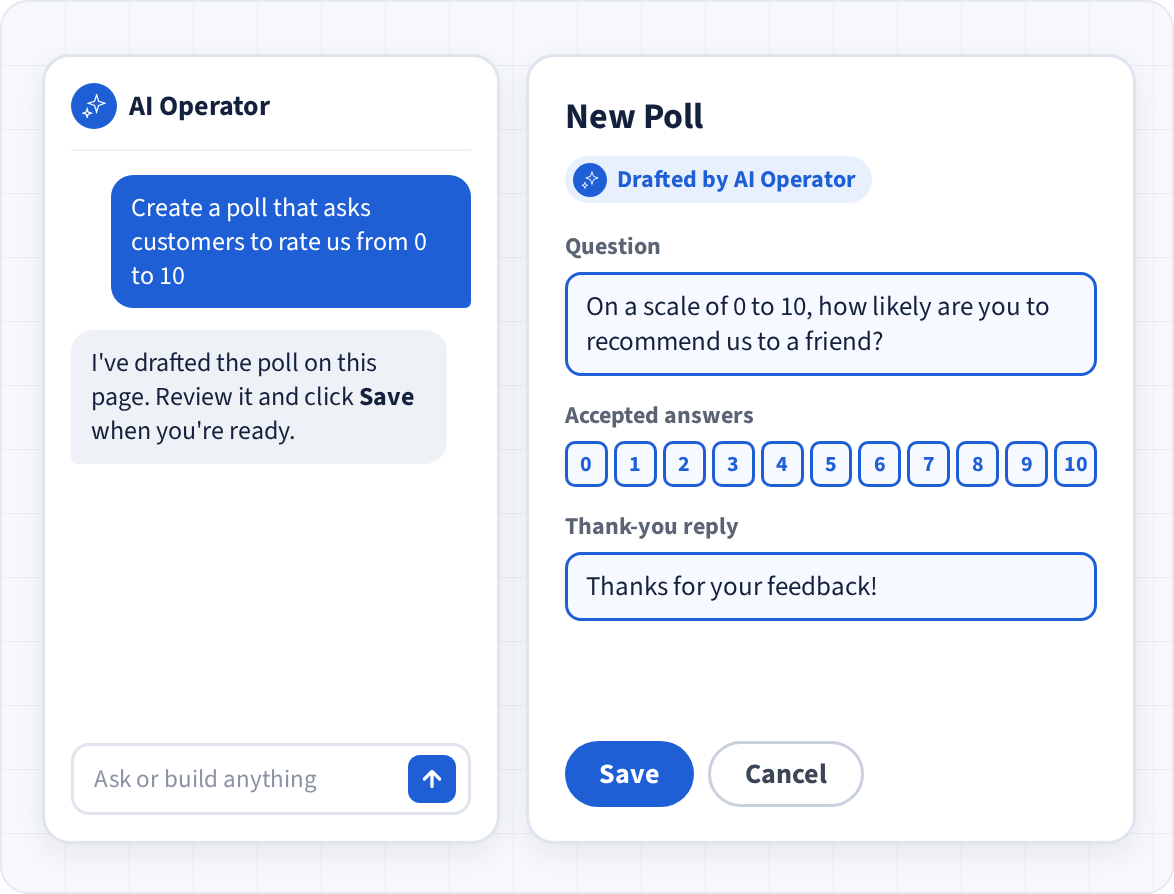
Describe your survey to AI Operator and it drafts the questions for you to review. Use multiple-choice, numeric and open-ended questions, with validation rules that ask again when an answer doesn't fit, and branching that skips questions based on earlier answers. Then try it yourself in the built-in test view before anyone receives it.
Reach people on any phone
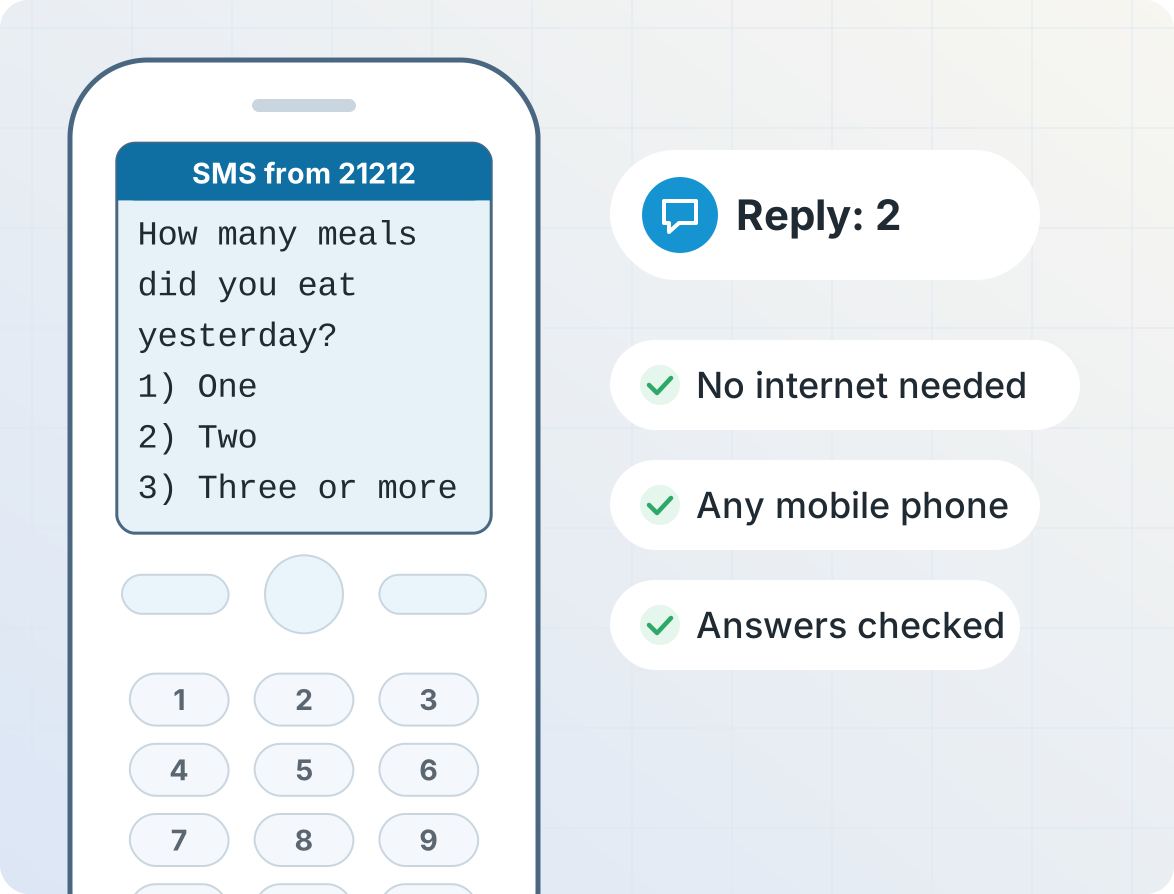
Text message surveys work on every mobile phone. WhatsApp surveys suit smartphone users and can show answers as quick-reply buttons. USSD menus work without credit or a data connection, and IVR surveys let people answer with the keypad without needing to read or write. Run the same survey on whichever channels fit your respondents.
Ask questions in every language
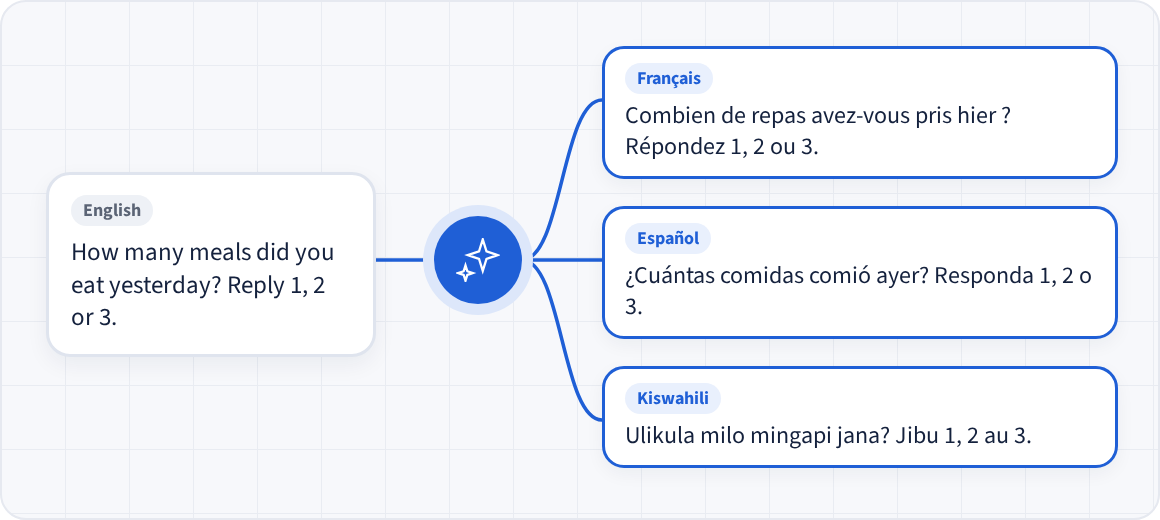
Ask each question in each person's own language with message variants, and accept answers in any language, like "si" as well as "yes", while results are counted together. AI can translate your questions for you.
Boost response rates with survey incentives
Send airtime or data bundles automatically when someone finishes your survey, so answering costs them nothing.
Remind people who haven't finished
See who has completed your survey, who stopped partway, and who hasn't started. Send a reminder only to people who haven't finished, and the survey picks up at the question where each person left off.


Act on each answer
Turn answers into action as they arrive. Each answer can send a tailored reply, add the person to a group for follow-up, alert a staff member, or send airtime. Everyone who receives or answers your survey is grouped automatically, so it's easy to send a follow-up campaign later.
See results as they come in
Every response is saved in a table you can filter and export to Excel. Dashboards chart the answers to each question, and webhooks or the REST API can send responses to your own systems in real time. Answers that don't match a choice can be kept for you to review and code by hand, and every response links back to the original message.

Customer stories
Get started
Frequently asked questions
What's the difference between a poll and a survey?
A poll is usually one quick question, like a vote or a rating, sent to many people to get a fast read of opinion. A survey usually has several questions of different types, often with branching, to collect more detailed information.
In Telerivet you use the same tool for both: start with a single question for a quick poll, or add more questions, validation and branching for a full survey.
What kinds of questions can I ask?
Surveys sent via SMS, WhatsApp, or other chat apps support multiple-choice, numeric and open-ended questions. You can validate answers, branch to different questions based on earlier answers, and send a closing message when the survey is done.
When sending multiple-choice questions via WhatsApp, you can send quick reply buttons to make it easier for users to reply.
IVR surveys support numeric answers via the keypad as well as open-ended responses via audio recordings.
USSD surveys support numeric responses.
Which channels can I run a survey on?
SMS, WhatsApp, voice calls (answering with the phone keypad), USSD, and other chat apps such as Viber, Facebook Messenger, and Instagram. SMS surveys require a route that supports two-way messaging. Availability depends on the country; see Channels.
Can people answer with a missed call?
Yes. With a missed-call poll, each answer has its own phone number, and people vote by calling the number for their answer and hanging up, so it costs them nothing. Radio and TV programs use missed-call polls for live audience votes.
Can people respond for free?
When responding to surveys via SMS, users will typically be charged their standard SMS rates by their mobile network for each reply they send. In many countries, you can send airtime to cover the cost of replying. If available, you can use a toll-free SMS shortcode.
When responding to surveys via WhatsApp, users can respond for free. Also, surveys sent via outgoing voice calls are typically free to the user.
Multiple-choice polls can allow users to send missed calls to record their response, which are free to the user.
USSD sessions are usually free for the user.
How do people receive the survey?
You can send it to a contact group or a list of phone numbers, schedule it, let people start it by texting a keyword, or trigger it from your own software with the REST API.
Voice (IVR) surveys can be triggered by either an inbound or outbound call.
USSD surveys can only be triggered by inbound USSD requests when the contact dials your USSD code (e.g. *123#).
Can I run recurring or follow-up surveys?
Yes. Schedule a survey to go out on a particular date, or send it relative to a date stored for each contact, for example 30 days after a clinic visit or every month to the same group of respondents. Answers can also be saved to contact fields, so you can compare each person's answers over time.
Can I limit who responds, or how many times?
Yes. You can make a survey available only to the people you send it to, or to anyone who texts your keyword, and choose whether each phone number can respond once or several times.
Can I export the responses?
Yes. Responses are stored in a table you can filter and export to CSV, view in dashboards, or send to other systems with webhooks and the API.
Is survey data secure?
Telerivet is SOC 2 compliant and ISO/IEC 27001:2022 certified. You control who on your team can see survey data, and you can choose how long messages are kept. See Security.
How much does it cost?
You pay for your Telerivet plan plus message or call costs, which depend on the country and channel. See Pricing, or contact us for large surveys.
More for surveys and data collection
Telerivet is used by researchers, NGOs and businesses to collect data in more than 150 countries.